
Printers
- PolyJet Legacy Printers
- Alaris30 V1
- Connex260
- Connex350/500
- Eden250
- Eden260
- Eden260V/VS
- Eden330
- Eden350
- Eden350V/500V
- J700 & J720 Dental
- J750/J735
- J750 Digital Anatomy
- Objet24/30 V2 Family
- Objet24/30 V3 Family
- Objet30 V5 Pro & Prime
- Objet260 Connex 1-2-3
- Objet260 Dental & Dental Selection
- Objet350/500 Connex 1-2-3
- Objet1000 Plus
Materials
- PolyJet Materials
- Agilus30 family
- Biocompatible
- Biocompatible Clear MED610
- Dental Materials
- Dental TrueDent Materials
- Dental TrueDent-D Materials
- Digital ABS Plus
- DraftGrey
- Elastico Clear/Black
- High Temperature
- MED610-DSG
- PolyJet Support
- Rigur & Durus
- Tango
- PolyJet ToughONE™
- Transparent
- Vero ContactClear
- Vero Family
- Veroflex
- VeroUltra Opaque
- Vivid Colors
- Stereolithography Materials
- Somos® 9120™
- Somos® BioClear™
- Somos® DMX SL™ 100
- Somos® Element™
- Somos® EvoLVe™ 128
- Somos® GP Plus™ 14122
- Somos® Momentum™
- Somos® NeXt™
- Somos® PerFORM™
- Somos® PerFORM Reflect™
- Somos® ProtoGen™ 18420
- Somos® ProtoTherm™ 12120
- Somos® Taurus™
- Somos® WaterClear® Ultra 10122
- Somos® WaterShed® AF
- Somos® WaterShed® Black
- Somos® WaterShed® XC 11122
- Somos® WaterShed® XC+
Fortus 900mc / F900 3D Printer

Find technical information and support resources for Stratasys Fortus 900mc and F900 FDM 3D printers. Access specifications, materials information, software, user and site preparation guides, maintenance instructions, calibration procedures, and troubleshooting resources to help operate and maintain your printer.
Specifications at a Glance
| Build envelope: | 914.4 × 609.6 × 914.4 mm (36 × 24 × 36 in.) for both printers. |
| Layer thickness | Fortus 900mc: 0.178–0.508 mm (0.007–0.020 in.); F900: 0.127–0.508 mm (0.005–0.020 in.), depending on material and configuration. |
| Software | GrabCAD Print™, Insight™ and Control Center™. Additional software options are available for the F900. |
| Materials | ABS-M30™, ASA, PC, PC-ABS, FDM Nylon 12™, FDM Nylon 12CF™, ULTEM™ 9085 resin, ULTEM™ 1010 resin, ST-130™ and Antero™ 840CN03, among others. Additional materials are available depending on printer and configuration. |
| Applications | Functional prototypes, production parts, jigs and fixtures, manufacturing and factory tooling, and large-format parts. |
See F900 & Fortus 900mc spec sheets for all specifications.
Frequently Asked Questions
- ⮞ What should I check before installing a Fortus 900mc or F900?
Confirm that the installation location meets requirements for space, power, compressed air, network connectivity, temperature, and humidity. Refer to the F900 Site Preparation Guide for complete installation requirements. - ⮞ How do I change materials or tips on a Fortus 900mc or F900?
Use the Tips/Materials Change function and follow the Tip Wizard. When changing material types, install the appropriate tips for the selected material and printer configuration. - ⮞ When does the Fortus 900mc or F900 require tip calibration?
Tip calibration is performed when changing material types or tips. The process includes automatic calibration and, when required, manual fine-tuning. - ⮞ What should I do if my Fortus 900mc or F900 reports low vacuum?
Check that the build sheet is correctly positioned and lies flat on the platen. Remove debris from the platen and check the platen inlet screens for blockages. Adequate vacuum is required before a build can start. - ⮞ What regular maintenance does a Fortus 900mc or F900 require?
Regular maintenance includes cleaning the build platen and purge area and inspecting and cleaning components such as the tip wipe assembly. Follow the maintenance schedule and procedures in the F900 User Guide.
Get a Quote for this Printer.
Buy Stratasys Materials and Service Consumables in Our Online Store

2:57
Swift Engineering Sacrificial Tooling - FDM Case Study

5:34
How to Use TrueRefill on Fortus 450mc and F900mc
Featured Case Studies
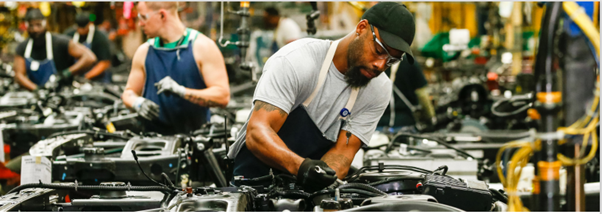
General Motors Hemming - EN FDM Use Case
General Motors (GM) is a world leader in the development of transportation innovations that include electric cars and self-driving vehicle technology. Headquartered in Detroit, Michigan, GM serves six continents with 164,000 employees.
Find out General Motor reduced its cost by using 3D printing.
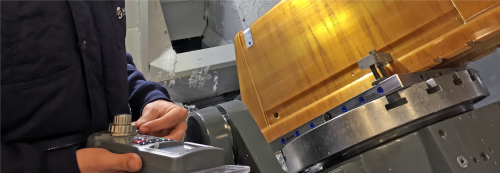
IDEC and Wehl - EN FDM Case Study
Aerospace Case Study: IDEC is a leading Spanish provider of composite solutions for the aerospace industry, servicing its customers’ design and manufacturing needs. With the help of advanced manufacturing service bureau, Wehl & Partner, the company embarked on a project to increase its competitiveness by reducing the time, cost and material waste of traditional composite molding.