
- PolyJet Legacy Printers
- Alaris30 V1
- Connex260
- Connex350/500
- Eden250
- Eden260
- Eden260V/VS
- Eden330
- Eden350
- Eden350V/500V
- J700 & J720 Dental
- J750/J735
- J750 Digital Anatomy
- Objet24/30 V2 Family
- Objet24/30 V3 Family
- Objet30 V5 Pro & Prime
- Objet260 Connex 1-2-3
- Objet260 Dental & Dental Selection
- Objet350/500 Connex 1-2-3
- Objet1000 Plus
- PolyJet Materials
- Agilus30 family
- Biocompatible
- Biocompatible Clear MED610
- Dental Materials
- Dental TrueDent Materials
- Dental TrueDent-D Materials
- Digital ABS Plus
- DraftGrey
- Elastico Clear/Black
- High Temperature
- MED610-DSG
- PolyJet Support
- Rigur & Durus
- Tango
- PolyJet ToughONE™
- Transparent
- Vero ContactClear
- Vero Family
- Veroflex
- VeroUltra Opaque
- Vivid Colors
- Stereolithography Materials
- Somos® 9120™
- Somos® BioClear™
- Somos® DMX SL™ 100
- Somos® Element™
- Somos® EvoLVe™ 128
- Somos® GP Plus™ 14122
- Somos® Momentum™
- Somos® NeXt™
- Somos® PerFORM™
- Somos® PerFORM Reflect™
- Somos® ProtoGen™ 18420
- Somos® ProtoTherm™ 12120
- Somos® Taurus™
- Somos® WaterClear® Ultra 10122
- Somos® WaterShed® AF
- Somos® WaterShed® Black
- Somos® WaterShed® XC 11122
- Somos® WaterShed® XC+
Wood Grain/Swirl Pattern
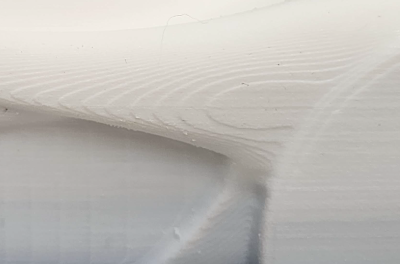
Wood Grain/Swirl Pattern on Part Surface
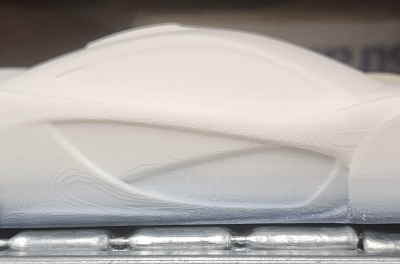
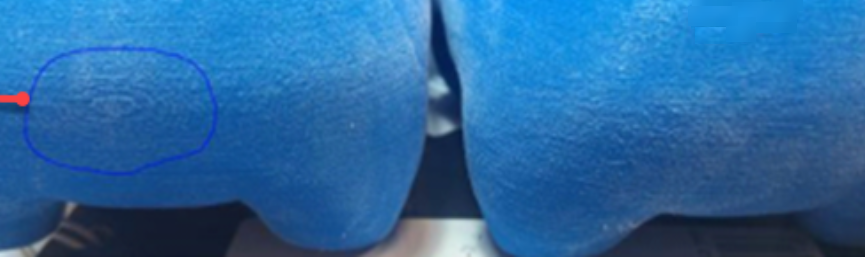
A wood grain or swirl-like pattern may appear on printed models. This is expected behavior and not a print quality defect. This is a sign of a highly calibrated printer.
The severity of the pattern can vary depending on:
- Model orientation
- Geometry (curved vs. flat surfaces)
- Print settings and finishing
Note the following:
- The pattern might resemble machining marks, but it is a normal output of the technology.
- Hardware replacements, software reinstallation, or calibration adjustments do not eliminate pixelation-related patterns.
Figure 1: Top view —Left : Pattern; Right: Close-up
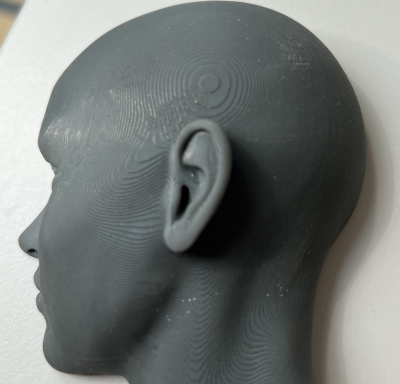
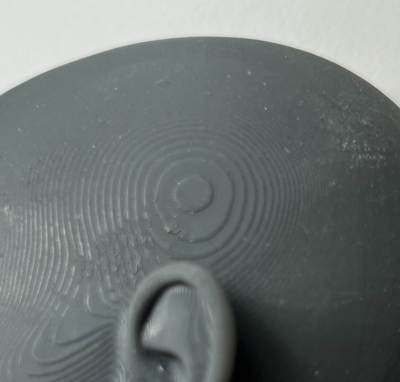
Figure 2: Side view —Left : Pattern; Right: Close-up
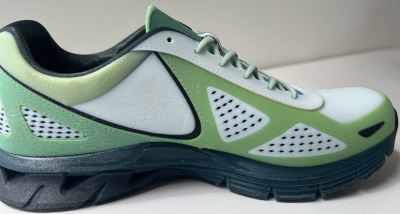

Figure 3: Side view —Left : Pattern; Right: Close-up
Possible Causes and Solutions
Inherent Pixelization in 3D Printing
On all 3D printing systems, this visual wood grain or swirl pattern texture is caused by a phenomenon known as pixelization.
- This effect is inherent to layer formation (how material is deposited during printing).
- It can be visible on model side surfaces.
- It can be visible on matte and glossy surfaces and can be observed before and after cleaning.
This pattern does not indicate a system malfunction, calibration issue, or incorrect settings.
Figure 4: Side view with wood grain pattern
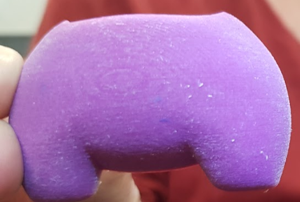
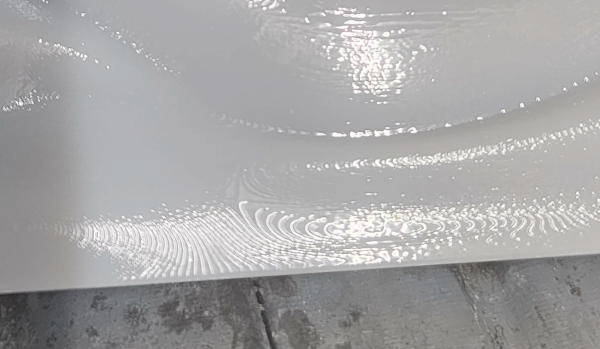
Figure 5: Wood grain appearance on glossy surface
Solution: If the visual impact is a concern, try any of these suggested options:
- Rotate the model around the Z-axis during job preparation.
- Change the model orientation so the pattern appears on a less visible surface. This does not eliminate the pattern; it only relocates it to another surface.
- In J7 series printers only, there is an option (Enable Grid Shift) to enable a grid shift in Preferences > PolyJet > Enable Legacy Slicer settings. This applies jitter (additional layer shifts) to blur the pattern.
Figure 6: Enable Grid Shift for reducing wood grain effect (GrabCAD Print)
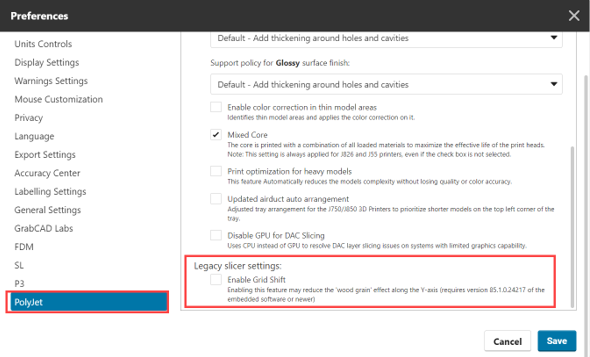
Figure 7: Left: Pattern not visible; Right: Pattern visible
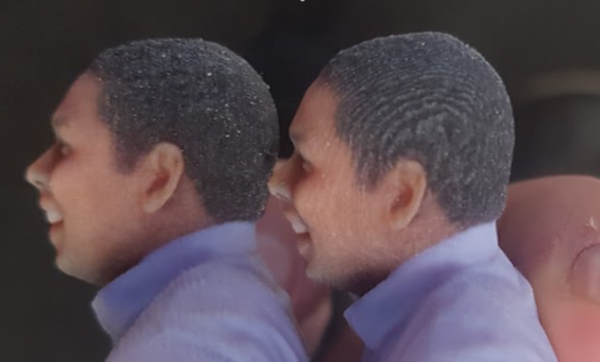
Figure 8: Left: Wood grain visible; Right: After enabling grid shift
Preventive Measures:
- Plan model orientation in advance to minimize pattern visibility on critical surfaces.
- Position aesthetic or functional surfaces away from dominant pattern directions.
- Set expectations with stakeholders or customers regarding this inherent appearance.