
Preparing the Printer
Before beginning to produce 3D prints, it is recommended that you check the current printing quality of the print heads by performing the Pattern Test.
To prepare the printer for printing:
| 1. | Make sure that the build tray in the printer is empty and clean. |
| 2. | If not, remove cured material with the scraper, and clean the tray thoroughly with a cleaning cloth soaked with 90% alcohol (IPA or ethanol). |
Caution
Use protective gloves when cleaning the build tray, and be careful of the sharp edges of the scraper blade.
| 3. | Make sure that there is sufficient model and support material loaded, as indicated on the printer interface. |
Note: When you click Print in GrabCAD Print, a warning message appears if there is not enough of one or more material.
For installing material cartridges and replacing empty ones, see Loading Model and Support Cartridges.
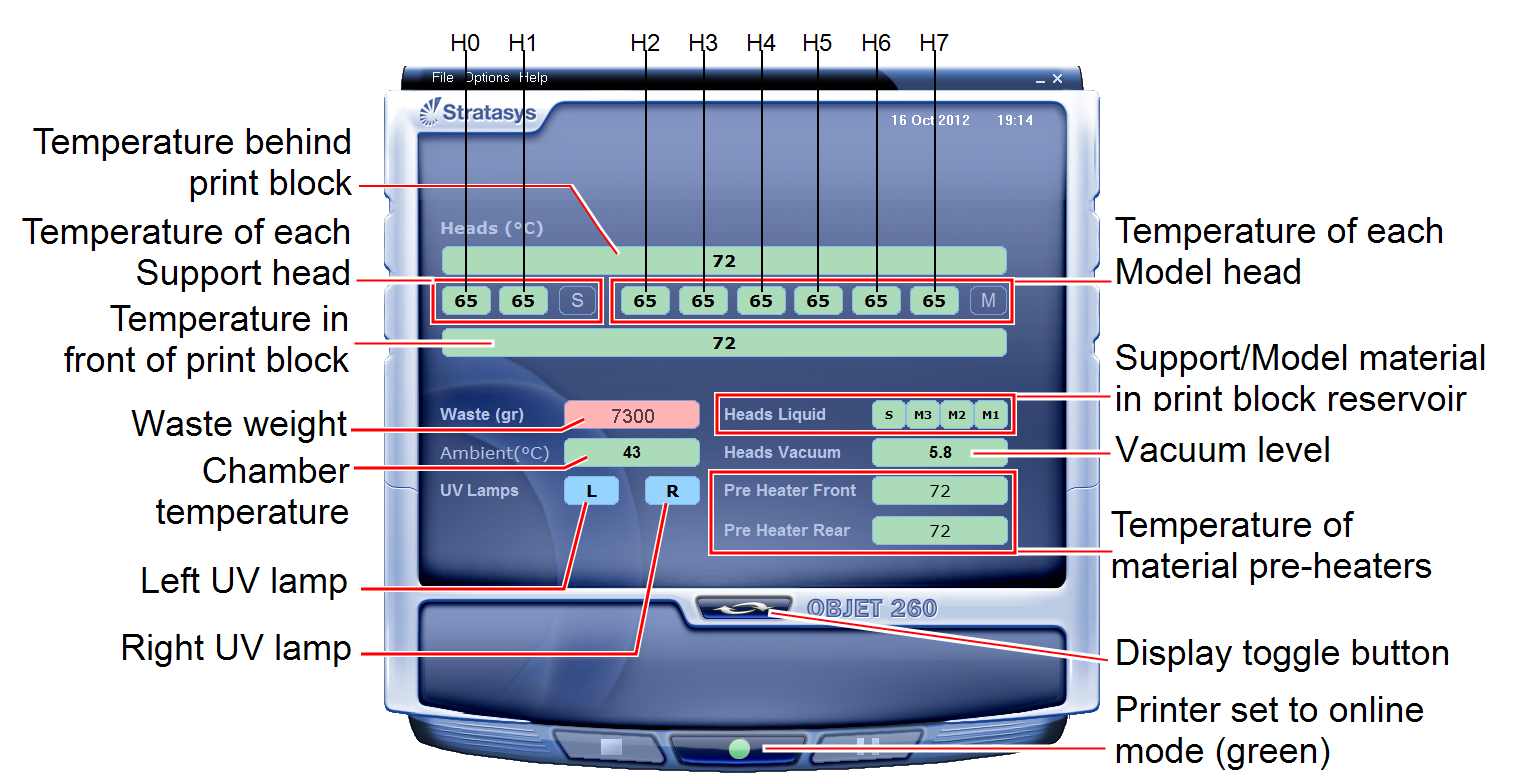
You can monitor printer status by switching the printer interface display. To do this, click the display toggle button on the printer interface screen.
 Related Topics