
Printing Indicators
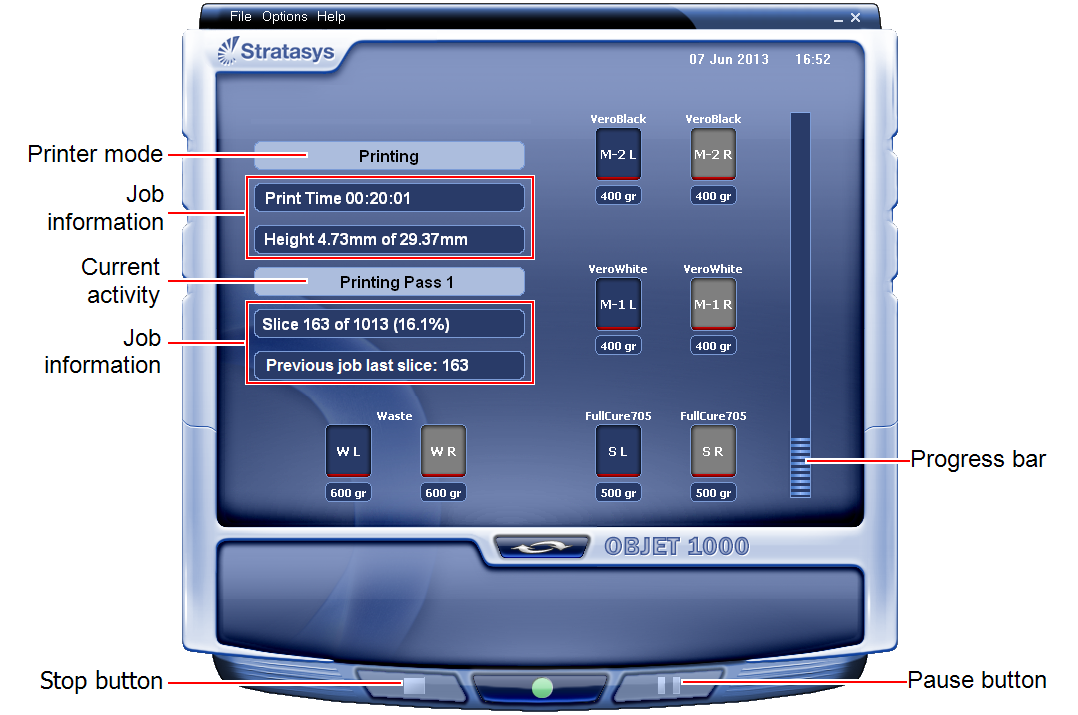
The printer interface screen changes when you send a print job to the printer, if the printer is on line:
| • | The mode changes from Pre-print to Printing. |
| • | The specific activity being performed is shown in the “current activity” field. |
| • | Current job-printing information is displayed. |
| • | The printing progress bar is displayed. |
| • | The Stop and Pause buttons are enabled. |
When the weight of a container drops below 100 grams, the display of the material level in the printer interface is red.
 Related Topics
| Questions, comments, suggestions? c-support@stratasys.com | Legal | © Stratasys |