
Resuming Production After Printing Has Stopped
If the printing process is interrupted,
After printing stops, the printer goes into Idle mode, when heating of the print heads is reduced.
To continue printing from GrabCAD Client :
| 1. | Open the Schedule screen of GrabCAD Print. |
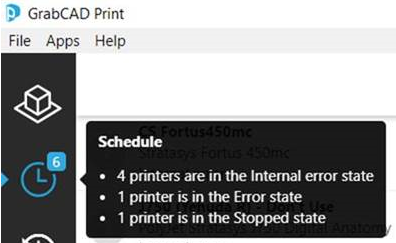
| 2. | Locate the stopped job. |

| 3. | Click on the job to display  |
OR—
Right-click on the job to display the pop-up menu, and select .
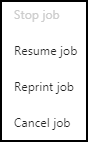
| 4. | Click in the confirmation dialog box. |
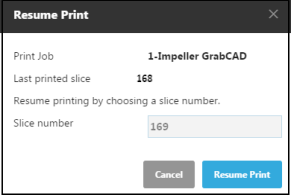
Resume Print confirmation
To continue printing from the printer interface:
| 1. | In the Home screen, tap the job display area (Details). |
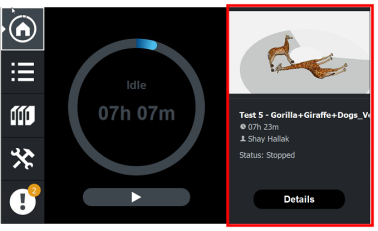
OR—
In the Queue screen, tap the job.

The following screen opens, containing full job details and action options.
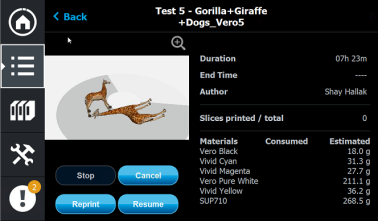
| 2. | Tap . |
You cannot continue printing if there was a relatively long interruption in printing. This is because the part already printed might slightly deform or shrink before printing continues, causing a visible difference between it and the part printed later. The effects of a printing stoppage depend on the part size and structure, the model material used, ambient temperature and the length of the stoppage.
If you cannot continue printing:
| 1. | Cancel the job. |
In GrabCAD Print, in the Schedule screen (see above):
| • | Right-click on the job to display the pop-up menu, and select . |
OR—
| • | Left-click on the job to display the Job Status details, and click the Cancel icon  . . |
OR—
| • | On the printer interface, display the screen containing full job details (see above), and tap . |
| 2. | Remove the partially printed 3D print from the build tray. |
| 3. | Resend the job to the printer. |
| • |
 . . |
OR—
| • | On the printer interface: Display the screen containing full job details (see above), and tap . |
You can stop printing from either the printer interface or from GrabCAD Print.
• After clicking the Stop button in GrabCAD Print, you can resume printing from GrabCAD Print or from the printer interface.
• After stopping printing from the printer interface, you can resume printing only from the printer interface.
 Related Topic