
Setting the Cartridge Expiration Alert
The printer application records the expiration dates for each loaded cartridge. You can display the Cartridge Expiration Date screen from the Options menu.

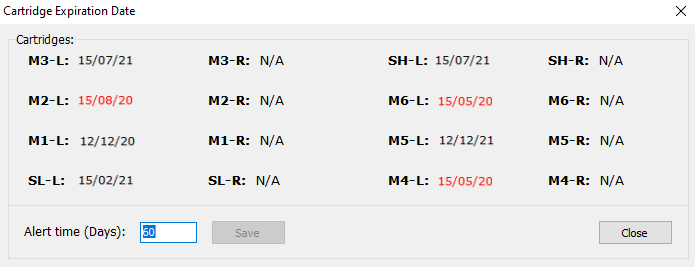
By default, the expiration indicator is set to display 60 days prior to the cartridge expiration date. Expiration dates that are within this time period are displayed in red in the Cartridge Expiration Date screen. In addition, in the main screen, this is indicated near the relevant cartridge.

If this cartridge expiration indicator appears, you can display the Cartridge Expiration Date screen by clicking on it.
To change the cartridge expiration alert at an earlier or later time, in the Cartidge Expiration Alert screen, enter the desired number of days, and click Save.